
TL;DR:
- Web accessibility expands your audience, improves SEO, and reduces legal risks for businesses.
- Writing accessible content involves clear headings, descriptive links, alt text, plain language, and proper structure.
- Ongoing testing, user feedback, and integrating accessibility into workflows ensure sustained compliance and usability.
Every time a visitor lands on your website and can’t read a blurry button label, navigate with a keyboard, or understand a wall of jargon, they leave. Permanently. For small and medium-sized businesses, that’s a lost customer you never even knew you had. Beyond the business cost, ADA Title III applies to most US businesses, and courts are increasingly referencing WCAG 2.1 AA as the compliance benchmark. The good news: writing accessible content isn’t a technical overhaul. It’s a set of clear, learnable practices that expand your audience, improve engagement, and protect your business at the same time.
Table of Contents
- Understand accessibility requirements and benefits
- Essential steps for writing accessible website content
- Integrating accessibility into your content workflow
- Testing, maintaining, and improving accessible content
- Our perspective: The real ROI of accessible content for small business
- Next steps: Build an even more accessible and effective website
- Frequently asked questions
Key Takeaways
| Point | Details |
|---|---|
| Start with WCAG guidelines | Follow WCAG standards, especially AA level, to make content accessible and protect your business. |
| Write clearly for all users | Use clear language, descriptive headings, and accessible link text to reach and engage everyone. |
| Integrate accessibility into workflow | Choose accessible tools, train your team, and review regularly to keep your content compliant. |
| Test with real users | Combine automated and manual accessibility checks to catch all issues before they impact customers. |
Understand accessibility requirements and benefits
Web content accessibility means every person, including those with visual, hearing, motor, or cognitive disabilities, can read, navigate, and interact with your site. That’s not a niche concern. The CDC estimates roughly 1 in 4 US adults lives with some form of disability. That’s a massive segment of your potential customer base.
The global standard that defines what “accessible” actually means is WCAG 2.1, published by the World Wide Web Consortium. WCAG is built around four core principles, often called POUR:
- Perceivable: Users can see or hear all content, including images and audio.
- Operable: All functions work via keyboard, not just a mouse.
- Understandable: Language is clear and navigation is predictable.
- Robust: Content works reliably across different browsers and assistive technologies.
Understanding why accessibility matters for US businesses goes beyond legal risk. Accessible sites rank better in search engines, load faster, and convert more visitors into buyers. Google’s crawlers essentially behave like screen readers, so the same improvements that help a blind user help your SEO.
Here’s a quick look at the business case:
| Benefit | Impact for SMBs |
|---|---|
| Expanded audience | Reach 61 million+ US adults with disabilities |
| SEO improvement | Cleaner code and structure boosts rankings |
| Legal protection | Reduces ADA lawsuit exposure |
| Better UX for all | Captions help non-native speakers too |
The legal stakes are real. ADA Title III lawsuits targeting websites have climbed sharply over the past several years, with thousands filed annually. Waiting until you receive a demand letter is far more expensive than building accessibility in from the start.
Essential steps for writing accessible website content
With the groundwork laid, here’s how to actually write accessible content for your website. These aren’t abstract guidelines. They’re specific writing decisions you make every time you create a page, blog post, or product description.
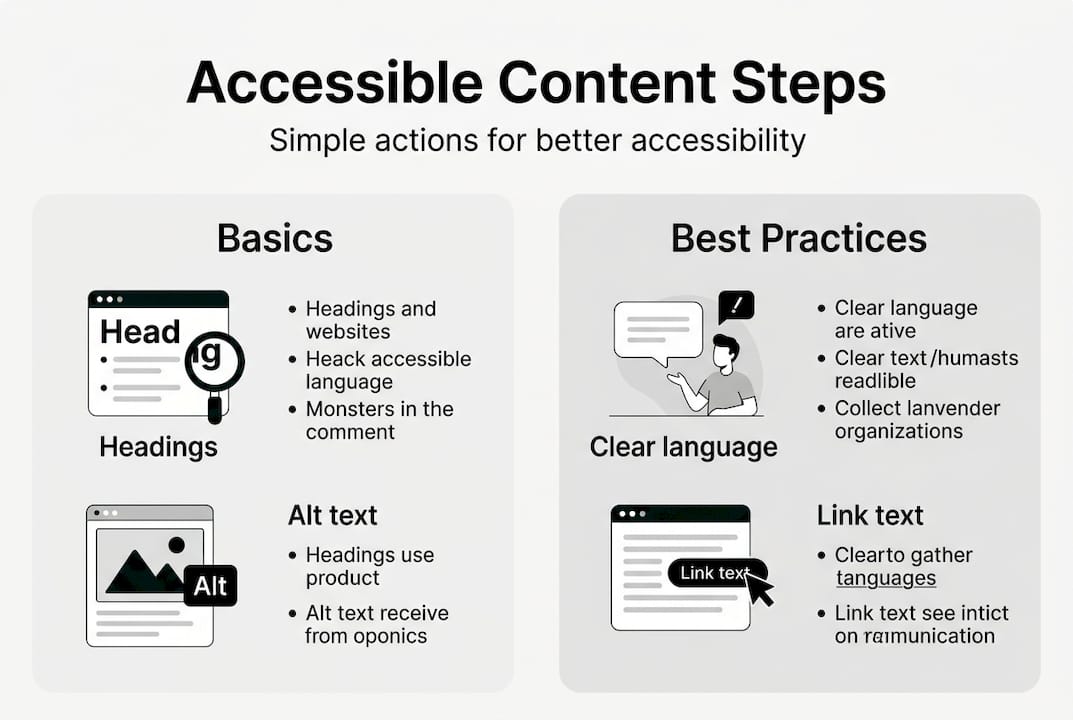
W3C’s writing tips identify the core mechanics: page titles, headings, link text, alt text, captions, clear language, expanded acronyms, and well-structured lists. Let’s break each one down.
1. Use meaningful headings. Headings aren’t just visual. Screen readers use them to navigate pages the way sighted users scan visually. Use H1 for your page title, H2 for main sections, H3 for subsections. Never skip levels.
2. Write descriptive link text. “Click here” tells a screen reader user nothing. “Download our 2026 accessibility checklist” tells them exactly what they’re getting. Every link should make sense out of context.
3. Add alt text to every image. Alt text describes images for users who can’t see them. Keep it specific and functional. “Logo” is useless. “Blue circular logo with the text ‘AccessFirst’ in white” is helpful.

4. Use plain, direct language. Write at a reading level your widest audience can follow. Short sentences. Active voice. Avoid industry jargon unless you define it on first use.
5. Expand acronyms. The first time you use an acronym, spell it out. “Americans with Disabilities Act (ADA)” not just “ADA.”
Here’s a side-by-side comparison of compliant versus non-compliant content:
| Element | Non-compliant example | Compliant example |
|---|---|---|
| Link text | Click here | View our pricing page |
| Alt text | Image1.jpg | Woman using a screen reader at a desk |
| Heading | Bold, large text | H2: Our services |
| Language | Leverage synergistic solutions | We help you grow your business |
Pro Tip: Write your alt text as if you’re describing the image to someone over the phone. If the image is purely decorative, use an empty alt attribute (alt=“”) so screen readers skip it entirely.
Producing engaging web content and accessible content aren’t competing goals. Clear structure, plain language, and descriptive links make your writing better for everyone. Understanding why content matters to your bottom line makes it easier to justify the time investment.
Integrating accessibility into your content workflow
Knowing each writing tactic is vital, but making accessibility routine requires changing your content workflow. A one-time cleanup isn’t enough. You need systems.
Start by choosing a CMS that supports accessibility out of the box. Platforms like WordPress with accessibility-ready themes, or Squarespace, offer built-in heading structures and image alt text fields. A CMS that fights your accessibility efforts will slow everything down.
According to the Web Almanac, the most effective approach is to start accessibility planning during the design phase, choose an accessible CMS, and use automated tools while always following up with manual reviews. Retrofitting an inaccessible site is always harder than building it right the first time.
Here’s what a practical accessibility workflow looks like:
- Before publishing: Run a checklist covering headings, alt text, link text, color contrast, and reading level.
- During content creation: Train every writer on the basics. Even a 30-minute onboarding session makes a measurable difference.
- After publishing: Use browser extensions like axe or WAVE to scan for missed issues.
- Quarterly: Assign one team member to review updated pages and check for new WCAG guidance.
Pro Tip: Create a one-page accessibility checklist and attach it to your content brief template. When accessibility is part of the creation process, it stops feeling like extra work.
“Accessibility is not a feature. It is a social trend.” — Antonio Santos, accessibility advocate. Treat it as a standard operating procedure, not an optional add-on.
For a deeper look at how design decisions affect usability, our web design accessibility guide walks through layout, color, and interaction patterns that support all users.
Testing, maintaining, and improving accessible content
Committing to accessibility doesn’t end once content is published. Here’s how to ensure you stay compliant and effective over time.
Automated tools are a great starting point, but WCAG testing methods confirm that automated tools can’t catch all issues. Manual or hybrid reviews are necessary. A tool can flag missing alt text. It can’t tell you whether your alt text is actually useful.
Here’s a practical testing toolkit for SMBs:
- WAVE browser extension: Highlights accessibility errors directly on your page.
- axe DevTools: Integrates with Chrome and Firefox for detailed issue reports.
- Keyboard navigation check: Tab through your entire site. Can you reach every button and link without a mouse?
- Screen reader testing: Use NVDA (free, Windows) or VoiceOver (built into Mac and iPhone) to hear how your content sounds.
- Color contrast checker: Tools like WebAIM’s contrast checker verify your text meets WCAG 2.1 criteria.
The most powerful testing method is also the most overlooked: invite real users with disabilities to test your site. Their feedback will surface issues no automated tool ever will.
Here are the most common content accessibility failures and how to fix them:
| Common issue | Fix |
|---|---|
| Missing alt text | Add descriptive alt text to every meaningful image |
| Vague link text | Replace “click here” with specific destination text |
| Low color contrast | Use a contrast ratio of at least 4.5:1 for normal text |
| No heading structure | Apply H1, H2, H3 tags in logical order |
| Complex language | Simplify sentences; aim for a 6th to 8th grade reading level |
Stay current with WCAG changes. Version 2.2 introduced new criteria in 2023, and version 3.0 is in development. Connecting accessibility to inclusive workplace strategies and tracking the future of digital marketing trends will help you stay ahead rather than scramble to catch up.
Our perspective: The real ROI of accessible content for small business
Here’s what most accessibility guides won’t tell you: accessible content isn’t just about avoiding lawsuits. It’s one of the highest-return investments a small business can make in its website.
We’ve seen SMBs treat accessibility as a compliance checkbox, knock out a few quick fixes, and move on. That’s a missed opportunity. When you write clearly, structure your content logically, and describe your visuals accurately, you’re not just helping users with disabilities. You’re improving readability for everyone, boosting your SEO signals, and building the kind of trust that turns first-time visitors into loyal customers.
The importance of accessibility compounds over time. Businesses that start now build a structural advantage. Those who wait face rising legal exposure and a growing gap between their site and competitors who already serve the full market.
Perfect compliance isn’t the goal at first. Progress is. Pick the five biggest gaps on your site today and fix them this week. That momentum matters more than waiting until you can do everything at once.
Next steps: Build an even more accessible and effective website
If you want to take the next step toward a world-class, accessible online presence, these resources can help. Accessibility isn’t a one-time project. It’s an ongoing commitment that pays dividends in reach, trust, and search visibility.
Our team at seo-analytic.com specializes in building websites that work for every visitor. Whether you’re starting fresh or improving an existing site, our website building basics guide is a practical starting point. For a broader roadmap, the website building guide covers structure, content, and design together. And if your site isn’t yet mobile-friendly, our responsive website design resource shows you how to reach users on every device.
Frequently asked questions
What is accessible website content?
Accessible website content ensures everyone, including people with disabilities, can read, navigate, and use your site without barriers. WCAG standards define the specific criteria that make content accessible across different assistive technologies.
Do I legally need accessible web content as a US business?
Yes. ADA Title III and various state laws require businesses to communicate effectively with all users, and courts consistently reference WCAG 2.1 AA as the compliance standard in web accessibility cases.
What are common mistakes to avoid with accessible content?
The most frequent errors include missing alt text, vague link labels like “click here,” overly complex language, and skipping user testing. Descriptive link text and meaningful alt text are two of the fastest wins you can implement today.
How often should I review my web content for accessibility?
Review content with every major update and run full audits at least twice a year. Ongoing audits help you stay aligned with evolving WCAG standards and catch new issues introduced by content changes.
Can automated tools fully check content accessibility?
No. Automated tools catch a solid portion of technical issues but miss context-dependent problems like whether alt text is actually descriptive. Always combine automated scans with manual reviews and real user testing.
Recommended
- How to Write Web Content That Engages Customers – seo analytic
- Content Audit Checklist: Improve Your Online Strategy – seo analytic
- Responsive Web Design Explained: Essential Guide – seo analytic
- Accessibility in Web Design: Complete Guide for Businesses – seo analytic
- What Is A/B Testing? Website Guide | Viaduct Gen