
You’ve probably never given much thought to that tiny icon in your browser tab, but favicons are quietly working to build your brand every time someone visits your site. These small graphics may seem trivial, yet they play a surprisingly powerful role in helping customers recognize and remember your business. Understanding how to create and optimize favicons can dramatically improve your website’s professional appearance, user experience, and mobile engagement. Let’s explore why this often-overlooked design element deserves your attention and how to implement it effectively.
Table of Contents
- What Is A Favicon And Why It Matters For Small Businesses
- How Favicons Improve User Experience And Site Usability
- Choosing And Optimizing Favicons For Best Performance In 2026
- Favicons And Their Role In Mobile Experience And Progressive Web Apps
- Boost Your Website Success With Seo Analytic
- Frequently Asked Questions
Key takeaways
| Point | Details |
|——-|———||
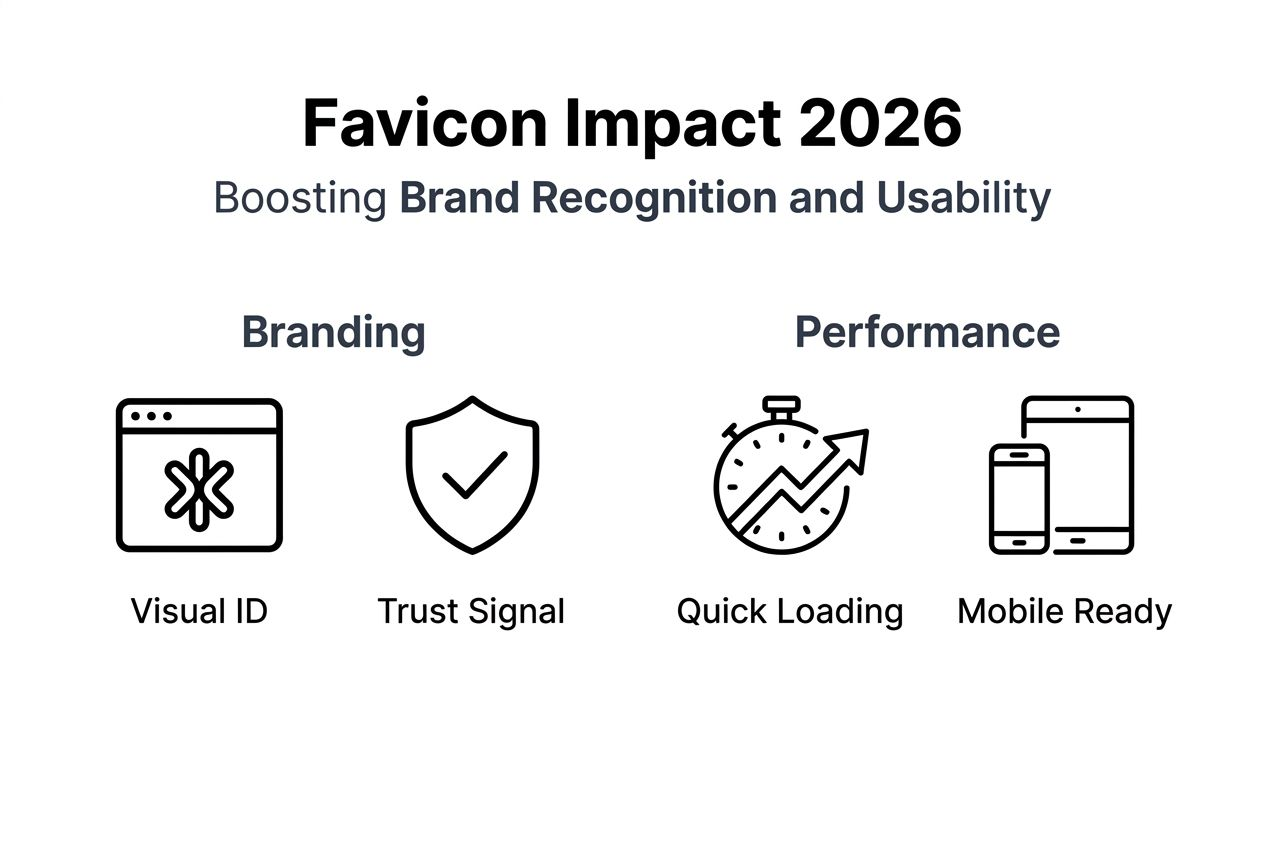
| Brand recognition boost | Favicons create instant visual identification in browser tabs and bookmarks, strengthening brand recall |
| Enhanced navigation | Users locate your site faster among multiple open tabs, reducing cognitive load and improving task completion |
| Mobile and PWA essential | 67% of mobile users add sites to home screens, where favicons serve as app icons |
| Technical optimization | Multiple formats (ICO, PNG, SVG) and sizes (16×16 to 512×512) ensure crisp display across all devices |
| Professional credibility | Proper favicon implementation signals attention to detail and builds user trust in your business |
What is a favicon and why it matters for small businesses
A favicon (short for favorite icon) is a small graphic that appears in browser tabs, bookmarks, address bars, and search results next to your website name. Think of it as your digital storefront sign, compressed into a 16×16 pixel square.
Favicons typically appear in several key locations:
- Browser tabs alongside your page title
- Bookmark lists and favorites menus
- Browser history displays
- Mobile home screens when users save your site
- Search engine results in some contexts
Favicons enhance brand recognition and user experience by providing a visual cue for website identification in browser tabs, bookmarks, and search results. This simple graphic becomes your brand’s visual handshake with every visitor.
For small businesses competing in crowded markets, favicons offer a low-cost, high-impact way to stand out. When potential customers have 15 tabs open researching options, your distinctive favicon helps them return to your site instantly. This seemingly minor detail contributes significantly to branding for small businesses by creating consistent visual touchpoints.
“A favicon is often the first brand element users see when discovering your site in search results or browser tabs. It’s a micro-interaction that builds macro recognition.” — Web Design Expert
Without a favicon, browsers display a generic placeholder icon. This missed opportunity suggests a lack of professionalism and reduces your memorability. In contrast, a well-designed favicon reinforces your brand identity every time someone interacts with your website.

How favicons improve user experience and site usability
When users juggle multiple browser tabs, favicons become essential navigation tools. Your unique icon helps visitors relocate your site among dozens of competing tabs without reading every title. Favicons improve website usability by aiding users in quickly identifying and navigating between multiple open tabs.
The user experience benefits extend beyond simple recognition:
- Reduced cognitive load: Visual processing happens faster than reading text, so users identify your favicon before processing your page title
- Faster task completion: Customers researching products across multiple sites complete comparisons more efficiently when they can visually distinguish tabs
- Lower abandonment rates: Users who can easily return to your site are less likely to give up and choose a competitor
- Improved mobile browsing: On mobile devices with limited screen space, favicons often replace full site names in tab views
- Enhanced bookmarking: A distinctive favicon makes your bookmark stand out in crowded favorites lists, increasing return visit likelihood
For Progressive Web Apps (PWAs), favicons serve double duty as the application icon on users’ home screens, creating a seamless native app experience. This transforms your favicon from a browser ornament into a genuine engagement driver.
Pro Tip: Test your favicon by opening your site alongside competitor pages. If you can’t instantly spot your tab in a lineup of 10+ tabs, your favicon needs stronger visual contrast or a more distinctive design element.
Implementing website optimization tips should always include favicon considerations. The perception of professionalism directly correlates with user trust. A polished favicon signals that you’ve invested in quality details throughout your entire digital presence, encouraging visitors to engage more deeply with your content and offerings.
Choosing and optimizing favicons for best performance in 2026
Selecting the right favicon format and size requires balancing compatibility, visual quality, and file size. The choice of favicon file format impacts compatibility, scalability, and visual quality across devices and browsers. Here’s what you need to know about each format:
| Format | Advantages | Disadvantages | Best Use Case |
|---|---|---|---|
| ICO | Universal browser support, multiple sizes in one file | Larger file size, limited editing tools | Legacy browser compatibility |
| PNG | Excellent quality, wide support, easy editing | Requires separate files for each size | Modern websites and mobile icons |
| SVG | Perfect scalability, tiny file size, crisp at any resolution | Limited browser support for favicons | Progressive enhancement layer |
Proper favicon implementation with multiple sizes and formats ensures consistent display across devices. You should create several versions to accommodate different platforms:
- 16×16 pixels: Standard browser tab display
- 32×32 pixels: Retina displays and high-DPI screens
- 48×48 pixels: Windows site icons
- 180×180 pixels: Apple touch icon for iOS devices
- 192×192 and 512×512 pixels: Android home screen and PWA icons
Optimization techniques to keep your favicons lightweight:
- Limit color palette to essential brand colors only
- Remove unnecessary metadata from PNG files
- Use compression tools specifically designed for small graphics
- Test file sizes and aim for under 5KB for standard favicons
- Consider using a favicon generator that automatically creates all required sizes
Modern 2026 requirements extend beyond basic browser compatibility. Maskable icons allow your favicon to adapt to different platform shapes (circles, rounded squares, squircles) without cropping critical elements. Your web app manifest file should reference all favicon sizes to ensure proper display across contexts.
Pro Tip: Create your favicon as an SVG vector graphic first, then export to required pixel sizes. This workflow ensures perfect scaling and makes future updates effortless. You can apply the same principles from image optimization techniques to keep your favicons loading quickly without sacrificing visual clarity.
Don’t forget to implement proper caching headers for your favicon files. Since they rarely change, aggressive caching improves page load time improvements by eliminating unnecessary requests on repeat visits.
Favicons and their role in mobile experience and Progressive Web Apps
Mobile browsing has fundamentally changed how users interact with favicons. When someone adds your website to their smartphone home screen, your favicon becomes the app icon they tap daily. This transformation from browser decoration to application identifier makes favicon design critical for mobile engagement.
The mobile favicon experience includes:
- Home screen icons: Your favicon appears alongside native apps, making it a primary brand touchpoint
- App switcher displays: When users toggle between applications, your favicon helps them identify your site
- Splash screens: PWAs use favicon-derived graphics for loading screens
- Notification icons: Push notifications from your PWA display your favicon
Favicons play a crucial role in mobile user experience, particularly for PWAs, serving as app icons on home screens and app switchers. This functionality blurs the line between websites and native applications, with your favicon carrying significant weight in that transformation.
The statistics reveal mobile favicon importance: 67% of mobile users add sites to their home screen when they find value in returning. Without a properly configured favicon, you’re missing opportunities to occupy valuable home screen real estate.
iOS devices require special consideration through Apple touch icons. These larger PNG files (typically 180×180 pixels) ensure your brand appears crisp on high-resolution iPhone and iPad displays. Android similarly benefits from 192×192 and 512×512 pixel versions specified in your web manifest.
Maskable icons represent the latest evolution in mobile favicon technology. These specially designed icons include a safe zone for your key brand elements, allowing platforms to crop them into various shapes without losing important visual information. A well-designed maskable icon maintains brand recognition whether displayed as a circle, square, or rounded rectangle.
Implementing comprehensive mobile favicon support enhances user retention and engagement. When your site feels like a native app through proper progressive web apps explained implementation, users interact more frequently and spend longer sessions exploring your content. Following mobile-friendly website tips naturally includes optimizing your favicon strategy for these smaller screens.
Boost your website success with Seo Analytic
You’ve learned how favicons strengthen brand recognition and improve user experience across devices. Ready to apply these insights to your business website? Seo Analytic specializes in helping small businesses build professional, optimized websites that convert visitors into customers.
Our comprehensive website building guide for business owners walks you through every design element that matters, from favicons to full page layouts. We provide actionable website optimization tips for US business owners that deliver measurable results. If you’re exploring mobile strategies, our resources on progressive web apps explained show you how to create app-like experiences that keep customers engaged. Let us help you transform your digital presence with expert guidance tailored to your business goals.
Frequently asked questions
What is the difference between a favicon and a website logo?
A favicon is a tiny icon (typically 16×16 to 32×32 pixels) displayed in browser tabs, bookmarks, and mobile home screens. Your website logo is a larger branding graphic that appears prominently on your actual web pages. Favicons must convey your brand identity in an extremely constrained space, often using simplified versions of your full logo or a distinctive brand mark. Both elements support consistent brand recognition, but they serve different display contexts and technical requirements.
Do favicons affect SEO rankings?
Favicons don’t directly influence search engine rankings as a ranking factor. However, they indirectly support SEO by improving user engagement metrics that search engines do measure. When users can easily identify and return to your site through distinctive favicons, they spend more time on your pages and bounce less frequently. These positive user signals can contribute to better search performance over time. Additionally, favicons appear in some search results displays, making your listing more visually appealing and clickable.
How often should I update my favicon?
Update your favicon whenever you rebrand or significantly refresh your visual identity. For most businesses, favicons remain consistent for years to build long-term brand recognition. If you do change your favicon, ensure the new design maintains some visual connection to your previous icon to avoid confusing loyal customers. Browser caching means some users may see your old favicon for days or weeks after you update it, so plan transitions carefully around major branding initiatives.
Can I use my company logo as a favicon?
You can use your logo as a favicon, but it usually requires simplification. Most logos contain too much detail to remain recognizable at 16×16 pixels. Extract the most distinctive element from your logo (a letter, symbol, or shape) and use that as your favicon base. Test your favicon by viewing it at actual size to ensure key brand elements remain visible and don’t blur into an unrecognizable blob. Simple, bold designs with strong contrast work best for favicon adaptation.
What happens if I don’t have a favicon on my website?
Browsers display a generic placeholder icon when your site lacks a favicon, making your tabs blend into the background. This absence signals poor attention to detail and reduces your professional credibility. Users struggle to relocate your site among multiple tabs, increasing the likelihood they’ll abandon your page for a competitor. Missing favicons also prevent users from easily saving your site to mobile home screens, limiting repeat engagement opportunities. Adding a favicon is a simple fix that immediately elevates your brand presence.