
TL;DR:
- User experience encompasses how visitors feel during interaction, affecting retention and conversions.
- Improving speed, mobile-friendliness, and navigation are top priorities for small businesses.
- UX should be an ongoing practice, continuously refined through data and customer feedback.
User experience is not just about making your website look nice. Many small business owners treat it as a design afterthought, something to consider once the logo looks good and the colors match. That thinking costs real money. Every time a visitor lands on your site and struggles to find what they need, you lose a potential sale, a potential customer, and sometimes a referral you will never know about. This guide breaks down what user experience actually means, why it drives growth, which elements matter most, and the practical steps you can take this week to improve it, even on a tight budget.
Table of Contents
- What is user experience? Definitions and fundamentals
- Why user experience matters for your business success
- Key elements of user experience: What to focus on
- How to improve your user experience: Action steps for small businesses
- Our perspective: What most guides on user experience miss
- Take your next step: Build a user-friendly business
- Frequently asked questions
Key Takeaways
| Point | Details |
|---|---|
| UX affects business results | Improving user experience increases customer satisfaction, retention, and sales. |
| Focus on core UX elements | Navigation, speed, and accessibility are priorities for any small business site. |
| Start with simple fixes | Quick steps like asking for user feedback can make a big difference. |
| Keep improving over time | User experience requires ongoing attention, not just a single redesign. |
What is user experience? Definitions and fundamentals
User experience, commonly shortened to UX, describes the overall feeling a person has when interacting with your website, app, or any digital product. It covers everything from how fast a page loads to how easy it is to find the checkout button. As one widely cited definition puts it, user experience considers how a person feels about interacting with a website or product. That feeling is shaped by dozens of small moments, not one big design decision.
Business owners often confuse UX with two related terms: UI and usability. Here is a simple breakdown.
| Term | What it means | Example |
|---|---|---|
| UX (User Experience) | The overall feeling and satisfaction from using a product | Does the checkout process feel smooth and stress-free? |
| UI (User Interface) | The visual elements and interactive components | Button placement, color, typography, icons |
| Usability | How easy and efficient the product is to use | Can users complete a task without confusion? |
Think of it this way: UI is the paint job on a car, usability is whether the steering wheel works, and UX is how you feel after the whole drive. You need all three working together, but UX is the experience that sticks.
Want to go deeper on UX strategy? What is UX design covers a more detailed framework for how UX decisions directly shape website performance.
Several factors shape whether a visitor has a good or bad experience on your site:
- Page speed: Slow sites create immediate frustration and push visitors away
- Navigation clarity: If people cannot find what they need in two clicks, they leave
- Mobile layout: A site that breaks on a phone loses mobile visitors instantly
- Content readability: Dense text walls drive people off the page
- Visual consistency: Mismatched fonts and colors feel unprofessional and untrustworthy
- Accessibility: If the site is hard to use for people with disabilities, you exclude a large audience
- Error handling: Confusing error messages or broken links kill trust fast
With the basics outlined, let’s look at why focusing on user experience is mission-critical for small business growth.
Why user experience matters for your business success
Here is a stat that should get your attention: 88% of online consumers are less likely to return to a website after a bad experience. That is nearly nine out of ten visitors you could lose permanently after one frustrating visit.
Poor UX shows up in painful ways: abandoned shopping carts, high bounce rates, low time on site, and customers who buy from a competitor instead. Strong UX produces the opposite. When your site is easy to use and feels trustworthy, people stay longer, buy more, and come back again.

Investing in UX can yield significant increases in conversion rates and customer retention. That means the same traffic you already have starts producing more revenue, without spending more on ads.
Here are the specific business outcomes that improve when UX is prioritized:
- Higher conversion rates: Fewer barriers between a visitor and a purchase means more completed sales
- Stronger customer retention: Satisfied users return and become repeat buyers
- More positive reviews: Easy, pleasant experiences lead to organic five-star ratings
- Lower support costs: Clear navigation and helpful content reduce customer confusion and support requests
- Better word-of-mouth: People recommend businesses whose websites make their lives easier
- Improved SEO rankings: Google rewards user experience in web design by favoring fast, mobile-friendly, easy-to-use sites in search results
Pro Tip: Open your website on your phone right now as if you are a first-time visitor. Try to find your most popular product or service in under 30 seconds. If you struggle, your customers are struggling too.
The key insight here is that UX is not a design luxury. It is a revenue lever. Fixing one broken experience can directly translate to more sales this month.
Now that you know why user experience is a revenue driver, let’s break down the actual elements that shape it most.
Key elements of user experience: What to focus on
Not every UX improvement carries equal weight. For small businesses with limited time and budgets, knowing where to focus first is everything. Navigation clarity, speed, mobile-friendliness, and accessibility are top UX priorities, and the data backs that up consistently.
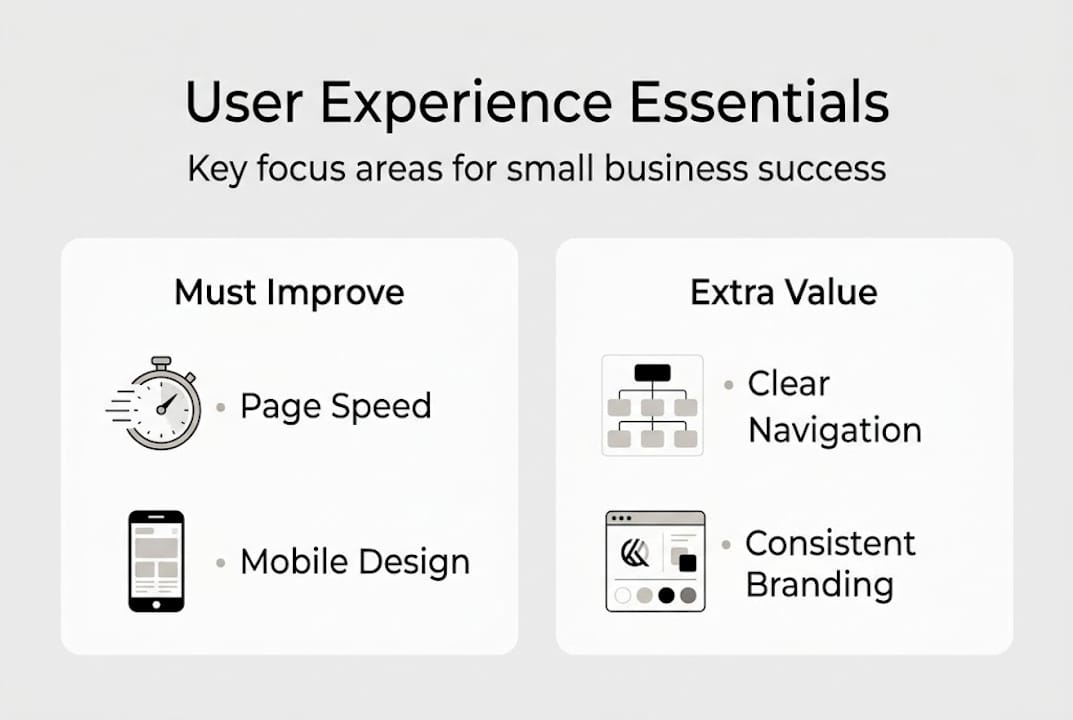
Here is a summary of the core UX elements and their impact:
| UX Element | Why it matters | Impact level |
|---|---|---|
| Page speed | Slow sites lose visitors within 3 seconds | Very high |
| Mobile responsiveness | Over 60% of web traffic is mobile | Very high |
| Navigation structure | Users need to find info in 1-2 clicks | High |
| Readability | Clear fonts and spacing reduce friction | High |
| Accessibility | Expands your reach and meets legal standards | Medium-high |
| Information architecture | Logical content organization aids decision-making | Medium |
For mobile UX best practices, the guiding rule is to design for the smallest screen first. If your site works beautifully on a phone, it will work everywhere.
Understanding the full customer journey stages also helps you spot where UX breaks down at each touchpoint, not just on the homepage.
Here are quick checks you can run for each element today:
- Speed: Use Google PageSpeed Insights to get a free score and specific fix recommendations
- Mobile layout: View your site on three different screen sizes and look for broken layouts
- Navigation: Ask someone unfamiliar with your business to find your contact page and time how long it takes
- Readability: Check that your body font is at least 16px and paragraphs are no longer than 3 to 4 sentences
- Accessibility: Use a free tool like WAVE to check for missing alt text, contrast issues, and keyboard navigation
- Information architecture: Map out your main menu and confirm each category makes sense to a new visitor
Pro Tip: Start with speed and mobile. These two elements affect every visitor and have the highest measurable impact on conversions. Fix those first before anything else.
Understanding the essentials, how do you put UX into action for your business? Let’s map out practical steps.
How to improve your user experience: Action steps for small businesses
Improving UX does not require a full site rebuild. Simple changes like speeding up your site or reducing form fields can boost engagement meaningfully. Here is a step-by-step roadmap built for small business realities.
- Audit your current site: Walk through each page as a new visitor. Note every moment of confusion or friction.
- Collect real feedback: Ask five actual customers what they found confusing or hard to find. Their answers will surprise you.
- Test site speed: Run a free Google PageSpeed test and fix the top three recommendations.
- Check your mobile experience: Browse your site on both Android and iPhone. Fix layout breaks immediately.
- Simplify your forms: Remove every field that is not absolutely necessary. Every extra field reduces completion rates.
- Improve your navigation labels: Use plain language your customers actually use, not internal jargon.
- Add clear calls to action: Every page should tell the visitor exactly what to do next with one obvious button or link.
Free and low-cost tools to help you test and improve:
- Google PageSpeed Insights: Free site speed and performance analysis
- Hotjar (free tier): Heatmaps and session recordings to see exactly where users click and scroll
- Microsoft Clarity: Free behavioral analytics with session replays
- WAVE: Free accessibility checker
- UsabilityHub: Affordable quick-test platform for navigation and first impressions
For more on usability testing methods, a structured approach can reveal blind spots you would never catch on your own.
“The most valuable UX research tool you have is an honest conversation with a real customer. No software replaces that.”
Do not overlook UX in your broader marketing. UX in email marketing and personalized email UX both affect how customers experience your brand beyond the website itself.
To tie it all together, here is our unique perspective on what most guides miss about user experience.
Our perspective: What most guides on user experience miss
Most UX articles treat improvement as a project with a start and end date. Redesign the site, check the box, move on. That is the wrong model, and we have seen it fail businesses repeatedly.
The truth is that UX is never finished. Customer expectations shift. New devices emerge. Your product evolves. What felt smooth and intuitive two years ago may feel clunky and outdated today. The businesses that win online are the ones treating UX as an ongoing practice, not a one-time fix.
The real competitive edge comes from small, consistent improvements tested against real user behavior. Not a flashy redesign every three years, but a weekly habit of checking data, gathering feedback, and making one thing better. This approach also makes measuring marketing ROI much easier because you can track the impact of each specific change.
The customer journey is always evolving. Your UX should evolve with it.
Take your next step: Build a user-friendly business
Ready to apply these user experience strategies? Start with the fundamentals and build from there. A well-structured, fast, and easy-to-use website is the foundation everything else in digital marketing rests on.
We have put together a practical step-by-step website building guide that walks you through creating a site with UX built in from the ground up. If your current site needs a refresh, our responsive website design guide covers how to make your site work beautifully on every device. Explore everything available at SEO Analytic to find the right tools and resources for your next move. Strong UX is not a luxury. It is the foundation your growth depends on.
Frequently asked questions
What is the difference between UX and UI?
UX and UI are different but related concepts. UX focuses on the overall feel and satisfaction from using a product, while UI is about the visual elements and interactive components visitors engage with.
How can a small business improve user experience on a limited budget?
Start by asking real customers for feedback and fixing the most common pain points like slow page loads or confusing navigation. Simple changes and listening to users can meaningfully improve UX without significant cost.
Does user experience really impact search rankings and sales?
Yes. Faster, easier-to-use sites keep visitors engaged longer and reduce bounce rates, which signals quality to search engines and drives conversions directly.
What are some quick ways to test website user experience?
Check your site on multiple devices, ask someone unfamiliar with your business to complete a key task, or use free tools like Google PageSpeed Insights. Hands-on testing with real users quickly reveals problem areas you cannot spot on your own.
Recommended
- Understanding User Experience in Web Design – seo analytic
- What is UX design? Boost website success in 2026 – seo analytic
- What is a CMS? A complete guide for small business owners – seo analytic
- Website Building Guide for Business Owners: Step-by-Step Success – seo analytic
- What defines excellent pet grooming customer experience?