

Most website owners believe their site is visible to Google the moment it goes live. That assumption is wrong, and it costs businesses real traffic every day. Before any page can rank or even appear in search results, search engines must first find and read it through a process called crawling. Understanding how this works gives you a direct advantage over competitors who are still guessing why their pages aren’t showing up. This article breaks down the mechanics of search engine crawling, the obstacles that block it, and the practical steps you can take right now to make your site fully discoverable.
Table of Contents
- What is search engine crawling and why does it matter?
- How search engine crawlers work: A behind-the-scenes look
- Common obstacles that block or limit crawling
- Best practices to ensure your website is crawlable
- Measuring and monitoring crawl activity for better SEO
- Next steps: Amplify your website’s search results with expert resources
- Frequently asked questions
Key Takeaways
| Point | Details |
|---|---|
| Crawling is essential | If search engines can’t crawl your site, it won’t appear in search results. |
| Technical barriers matter | Issues like blocked pages, slow servers, or poor structure prevent effective crawling. |
| Proactive optimization helps | Using sitemaps and internal linking improves crawlability and search performance. |
| Monitoring is key | Regular use of analytics tools helps spot and fix crawling issues before they hurt SEO. |
What is search engine crawling and why does it matter?
Search engine crawling is the automated process by which search engines send out bots, also called spiders or crawlers, to discover and read web pages across the internet. Think of it like a postal worker mapping every street in a city before mail can be delivered. Without that map, nothing gets delivered. Crawling is the first step in making your site discoverable by Google and other search engines.
Here’s what crawlers actually do when they visit your site:
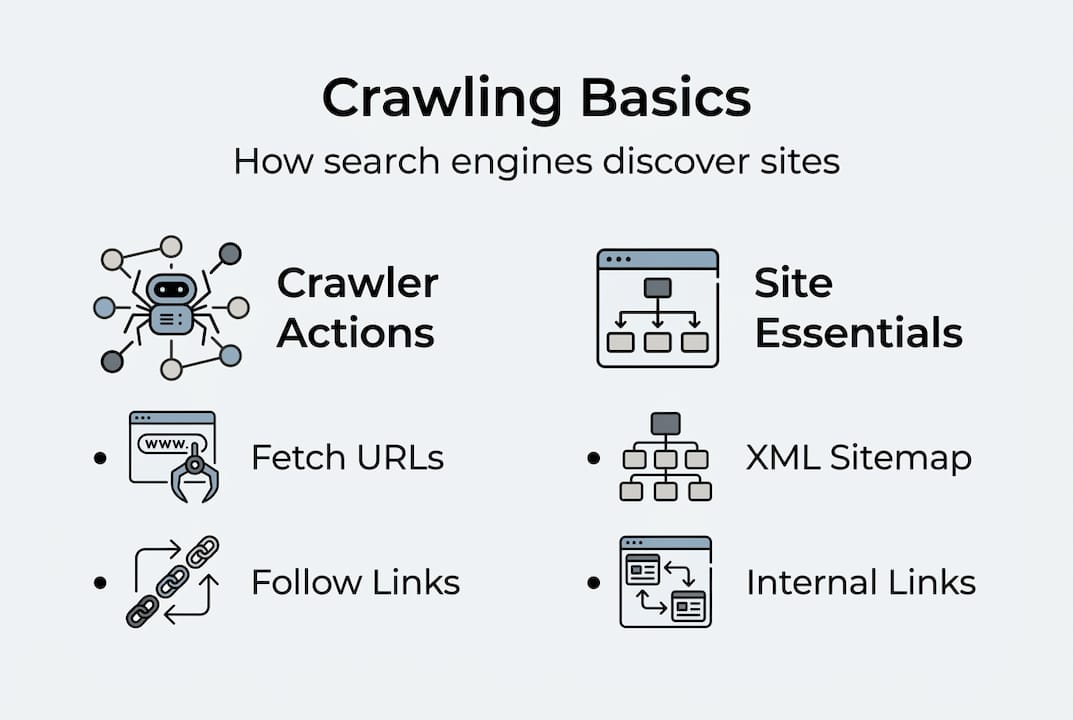
- Follow links from page to page to discover new content
- Read the HTML code, text, and metadata on each page
- Record what they find and send it back to the search engine’s servers
- Flag pages that are blocked, broken, or slow to load
It’s important to separate three related but distinct concepts. Crawling is discovery. Indexing is storage, where the search engine saves what it found. Ranking is the decision about where your page appears in results. You can’t rank without being indexed, and you can’t be indexed without being crawled. How search works confirms this sequence is non-negotiable.
“A significant portion of the web remains uncrawled at any given time, meaning millions of pages are effectively invisible to search engines regardless of their content quality.”
For SEO basics for beginners, crawling is the foundation everything else is built on. Get this wrong, and no amount of great content or backlinks will save your rankings.
How search engine crawlers work: A behind-the-scenes look
When a crawler visits your site, it follows a structured process. Crawlers use algorithms to efficiently map out and traverse billions of web pages, prioritizing sites based on authority, freshness, and link signals.
Here’s the step-by-step sequence:
- The crawler starts with a list of known URLs called the crawl queue
- It fetches each URL and reads the page’s HTML content
- It discovers new links on that page and adds them to the queue
- It follows your XML sitemap if one is submitted to the search engine
- It records all findings and sends them to the indexing system
- It revisits pages periodically based on update frequency and authority
Understanding digital marketing basics helps you see why a clean site structure matters so much here. Crawlers are efficient but not patient. If they hit too many dead ends, they move on.

| Crawl process step | Common issue that halts crawlers |
|---|---|
| Fetching the URL | Server errors (500 status codes) |
| Reading page content | JavaScript-heavy pages bots can’t render |
| Following internal links | Broken links returning 404 errors |
| Accessing via sitemap | Sitemap not submitted or outdated |
| Revisiting for updates | Excessive redirect chains slowing access |
| Respecting crawl rules | Robots.txt blocking key pages |
Using website analytics tools lets you see exactly how often crawlers visit and which pages they’re skipping. That data is gold for fixing crawl gaps before they hurt your rankings. According to search engine crawlers research from Moz, crawl frequency is directly tied to how often you update content and how many quality sites link to you.
Common obstacles that block or limit crawling
Even well-designed websites can have crawling problems hiding under the surface. Improper use of robots.txt or meta tags can make key pages invisible to search engines without you ever realizing it.
Here are the most common crawl blockers to check for:
- Robots.txt errors: A single misplaced line can block entire sections of your site from being crawled
- Noindex tags: Pages tagged with noindex are intentionally excluded from indexing, but mistakes happen
- Broken internal links: 404 errors waste crawl budget and leave content undiscovered
- Duplicate content: Crawlers get confused by identical pages and may skip or devalue them
- Slow server response: If your server takes too long to respond, crawlers abandon the visit
- Excessive redirects: Chains of three or more redirects drain crawl budget fast
Statistic: Studies on crawlability audits consistently find that over 60% of business websites have at least one significant crawl error affecting their search visibility.
Pro Tip: Use Google Search Console’s URL Inspection tool and a free crawler like Screaming Frog to audit your robots.txt and meta tags at least once per quarter. Catching one bad noindex tag could recover pages you didn’t even know were hidden.
A solid crawl budget optimization strategy starts with eliminating these blockers first. Once the path is clear, crawlers can focus on your most valuable pages. Your on-page SEO checklist should include a crawlability audit as a standard step. For a deeper technical breakdown, improving crawlability from Ahrefs is a reliable reference.
Best practices to ensure your website is crawlable
Knowing the obstacles is half the battle. Here’s what you can do to maximize your site’s crawl readiness starting today.
- Submit an XML sitemap: Upload it to Google Search Console and Bing Webmaster Tools so crawlers have a direct map of your content
- Build strong internal links: Every important page should be reachable within three clicks from your homepage
- Maintain a clean URL structure: Short, descriptive URLs are easier for bots to process and prioritize
- Fix broken links immediately: Run monthly link audits and redirect or remove any 404 pages
- Optimize page speed: Faster pages get crawled more completely. Aim for under two seconds load time
- Avoid orphan pages: Pages with no internal links pointing to them are nearly impossible for crawlers to find
An XML sitemap and a well-structured internal linking strategy are essential for crawlability, especially as your site grows. These aren’t optional extras. They’re the infrastructure that makes everything else work.
Pro Tip: Enable server log analysis through your hosting provider or a tool like Screaming Frog Log Analyzer. Server logs show you exactly which pages Googlebot visited, how often, and whether it encountered any errors. This is more accurate than relying on Search Console alone.
For small business sites, crawl budget is rarely a limiting factor unless there are major technical errors. But as you add more pages, following website optimization tips and applying on-page SEO techniques keeps your site lean and crawlable. The technical SEO best practices guide from Search Engine Land is worth bookmarking for ongoing reference.
Measuring and monitoring crawl activity for better SEO
Optimizing for crawlability is ongoing work, and the right tools make it measurable and manageable. SEO tools and analytics platforms offer crawl reports that pinpoint problems and track changes over time.
Here’s what to monitor regularly:
- Crawl errors: Found in Google Search Console under Coverage. Fix 404s and server errors first
- Crawl stats: Shows how many pages Googlebot fetched per day and average response time
- Index coverage: Tells you which pages are indexed, excluded, or flagged as duplicates
- Server response codes: A spike in 5xx errors signals hosting problems that block crawlers
| Tool | Cost | Best for |
|---|---|---|
| Google Search Console | Free | Crawl errors, index coverage, performance data |
| Screaming Frog SEO Spider | Free up to 500 URLs | Full site crawl audits, broken links, redirects |
| Semrush Site Audit | Paid | Automated crawl monitoring, issue tracking |
| Ahrefs Site Audit | Paid | Crawlability scoring, internal link analysis |
| Sitebulb | Paid | Visual crawl maps, priority issue flagging |
For most small business owners, Google Search Console combined with Screaming Frog covers 90% of what you need. The crawl stats report from Semrush is also a useful reference for understanding what the numbers mean. Pair these with the best SEO software options reviewed on our site to build a monitoring stack that fits your budget.
Set a monthly reminder to check your crawl coverage report. Catching a new crawl error early prevents weeks of lost visibility that compounds over time.
Next steps: Amplify your website’s search results with expert resources
You now have a clear picture of how search engine crawling works, what blocks it, and how to fix it. The next move is putting that knowledge into action with the right support.

Our team at seo-analytic.com specializes in helping digital marketing professionals and small business owners build websites that search engines love to crawl. From technical audits to full search engine optimization strategies, we provide tailored solutions that drive real organic growth. Explore our website building guide to make sure your site’s foundation supports strong crawlability from day one. If you’re newer to the field, our digital marketing basics guide gives you the full context you need to make smarter decisions faster. Better crawlability means better visibility, and better visibility means more customers finding you.
Frequently asked questions
What happens if my website isn’t being crawled?
If search engines can’t crawl your site, it won’t appear in search results or receive any organic traffic. Crawling is required before indexing or ranking can happen, so no crawl means no visibility.
How long does it take for a new page to be crawled?
It can take anywhere from a few hours to several weeks depending on your site’s authority and how recently you submitted a sitemap. Crawl frequency varies based on update signals, authority, and sitemap submissions.
What tools show if my site is being crawled?
Google Search Console, Screaming Frog, and most SEO audit platforms display crawl activity and surface problems. Crawl reports from analytics tools pinpoint specific errors and track changes over time.
How do I unblock pages for search engines?
Remove or correct robots.txt disallow rules, fix incorrect noindex tags, and eliminate excessive redirect chains. Improper use of robots.txt is one of the most common reasons key pages stay invisible to search engines.
What’s a crawl budget and does it matter for small business sites?
Crawl budget is the number of pages a search engine will crawl on your site within a set timeframe. For most small sites, crawl budget only limits discovery when there are significant technical errors or a very large number of low-quality pages.
Recommended
- Service Page SEO: Boost Rankings and Win More Clients – seo analytic
- How to write meta descriptions: boost CTR up to 30% in 2026 – seo analytic
- Crawl Budget Optimization: Complete Guide for 2025 – seo analytic
- Boost Rankings with Effective On-Page SEO Techniques – seo analytic
- Why invest in website development for SMBs in Dubai 2026