

Small and medium business owners face a persistent challenge in 2026: standing out in crowded digital markets and keeping customers engaged. Many lack the tools to consistently attract and convert website visitors into loyal buyers. Integrating a blog into your website offers a proven solution, boosting search visibility, establishing authority, and creating ongoing touchpoints with your audience. This guide walks you through choosing the right platform, planning compelling content, leveraging automation to drive sales, and optimizing your blog for sustained marketing success. You’ll gain practical frameworks to turn your blog into a customer engagement engine.
Table of Contents
- Choosing The Right Blog Integration Platform
- Planning And Creating Effective Blog Content
- Leveraging Blog Features To Boost Sales And Engagement
- Monitoring, Troubleshooting, And Optimizing Your Blog Integration
- How Seo Analytic Can Help You Integrate Your Business Blog
- Frequently Asked Questions
Key takeaways
| Point | Details |
|---|---|
| Platform selection matters | Choosing between WordPress, headless CMS, or website builders affects SEO flexibility, scalability, and long-term maintenance costs. |
| Content consistency drives results | A planned editorial calendar ensures regular publishing, which builds audience trust and improves search rankings over time. |
| Automation multiplies sales impact | Personalized product recommendations embedded in blog posts can increase conversions dramatically while reducing manual workload. |
| Continuous optimization is essential | Tracking metrics like traffic, engagement, and conversion rates helps refine strategy and avoid common pitfalls that limit blog effectiveness. |
Choosing the right blog integration platform
Your platform decision shapes every aspect of your blog’s performance, from search engine rankings to how quickly you can publish new content. Three main options dominate the market: traditional website builders, WordPress, and headless content management systems. Each brings distinct advantages and trade-offs that align differently with business size, technical resources, and growth ambitions.
WordPress powers over 43% of all websites, making it the most popular choice for businesses prioritizing SEO flexibility and plugin ecosystems. Its extensive library of themes and extensions allows you to customize functionality without coding expertise. You can install SEO plugins, integrate email capture forms, and add social sharing buttons within minutes. WordPress also offers robust community support, meaning solutions to common problems are readily available through forums and tutorials. However, the platform requires ongoing maintenance, including security updates, plugin compatibility checks, and occasional troubleshooting when extensions conflict.

Website builders like Wix, Squarespace, and Shopify provide simpler onboarding experiences with drag-and-drop interfaces and managed hosting. These platforms handle technical maintenance automatically, freeing you to focus purely on content creation. The trade-off comes in reduced customization options and potential SEO limitations compared to WordPress. Many builders restrict access to advanced schema markup, limit URL structure flexibility, or bundle features in ways that don’t align with sophisticated blog SEO strategies. For businesses just starting with blogging or those with minimal technical staff, builders offer a practical entry point despite these constraints.
Headless CMS platforms like Contentful or Strapi separate content management from presentation, offering maximum flexibility for businesses planning multi-channel distribution. WordPress offers immediate productivity but potential long-term technical debt while headless CMS requires investment but promises future proofing. This architecture lets you publish the same content to your website, mobile app, and other digital touchpoints from a single source. The approach demands more upfront development investment and technical expertise to build custom front-end experiences. Companies expecting rapid growth across multiple platforms find this investment worthwhile, while smaller operations may find it premature.
Pro Tip: Match your platform choice to your current technical capacity and 12-month growth projections, not aspirational five-year plans. You can always migrate later as needs evolve, but starting with an overly complex system often leads to abandoned blogs and wasted resources.
Consider these factors when evaluating platforms:
- Budget constraints: Website builders charge monthly fees but eliminate hosting and maintenance costs, while WordPress requires separate hosting and potential developer fees for customization.
- SEO requirements: If organic search drives your customer acquisition strategy, prioritize platforms offering full control over meta tags, URL structures, and site speed optimization.
- Content volume: High-frequency publishers need efficient workflows, bulk editing capabilities, and reliable performance under heavy traffic loads.
- Integration needs: Assess how the blog must connect with your existing CRM, email marketing tools, analytics platforms, and ecommerce systems.
Planning and creating effective blog content
Consistent publishing separates successful business blogs from abandoned ones. Creating a content calendar maintains a consistent blogging schedule, which signals reliability to both readers and search engines. Your calendar should map topics to publication dates at least four weeks ahead, accounting for holidays, product launches, and seasonal trends in your industry. This forward planning prevents last-minute scrambling and ensures each post aligns with broader marketing campaigns.
Effective blog formats for small and medium businesses include how-to guides that solve specific customer problems, case studies showcasing real results, industry news analysis that positions you as a thought leader, and behind-the-scenes content that humanizes your brand. How-to guides typically generate the highest search traffic because they target informational queries potential customers actively search for. Case studies build trust by demonstrating proven outcomes, making them valuable for mid-funnel prospects evaluating whether to work with you. Industry analysis posts attract peers and media attention, expanding your reach beyond direct customers.
Mine customer questions from support tickets, sales calls, and social media comments to generate topic ideas that directly address audience needs. These real questions reveal the exact language your customers use, helping you optimize for long-tail keywords that competitors often overlook. Supplement customer insights with keyword research tools to identify high-volume, low-competition opportunities in your niche. Balance evergreen content that remains relevant for years with timely posts that capitalize on current trends or news cycles.
Pro Tip: Batch your content creation by dedicating specific days to research, writing, and editing rather than trying to complete one post at a time. This approach reduces context switching, improves writing quality, and makes it easier to maintain your content calendar planning during busy periods.
Establish a realistic publishing frequency based on available resources rather than aspirational goals. Weekly posts work well for businesses with dedicated content staff, while biweekly or monthly schedules suit smaller teams juggling multiple responsibilities. The key is consistency. Publishing three posts one month and none the next two damages reader expectations and search rankings more than maintaining a steady monthly cadence. Track how long each content stage takes so you can accurately forecast capacity and avoid overcommitting.
Build content variety into your calendar to keep readers engaged:
- Educational posts: Teach specific skills or explain complex concepts relevant to your industry.
- Problem-solving articles: Address common pain points your customers face with actionable solutions.
- Product updates: Announce new features or improvements in ways that highlight customer benefits.
- Customer stories: Share testimonials and success stories that demonstrate real-world value.
- Industry insights: Analyze trends, regulations, or market shifts affecting your audience.
Leveraging blog features to boost sales and engagement
Automated product recommendation blocks transform blogs from pure information sources into revenue generators. MasterZoo increased blog sales by 9x after automating recommendation blocks, demonstrating the dramatic impact of personalized suggestions embedded contextually within content. These blocks analyze reader behavior, browsing history, and the current article topic to surface products that genuinely match their interests. Unlike generic sidebar ads, contextual recommendations feel helpful rather than intrusive, increasing click-through rates and purchase likelihood.
Personalized recommendations can nearly double revenue compared to manual product linking because they adapt to each visitor’s unique profile and intent. Manual recommendations require content creators to predict which products might interest readers and hard-code those links into posts. This approach becomes unsustainable as your product catalog grows and customer segments diversify. Automated systems continuously test and optimize which products to display based on real conversion data, improving performance over time without additional manual effort.
Implementing automated recommendations follows these steps:
- Choose a recommendation engine that integrates with your blog platform and ecommerce system, evaluating options based on algorithm sophistication, ease of setup, and pricing structure.
- Define recommendation logic by setting rules for how products relate to blog topics, whether through category matching, keyword alignment, or collaborative filtering based on customer behavior patterns.
- Design placement strategy by testing recommendation blocks at different positions within posts, such as after the introduction, midway through the content, or at the conclusion where purchase intent peaks.
- Configure display settings including how many products to show, whether to include pricing and reviews, and how to handle out-of-stock items to maintain trust.
- Monitor performance metrics tracking click-through rates, add-to-cart actions, and completed purchases attributed to each recommendation placement to identify top performers.
The time savings alone justify automation for most businesses. Manual product curation for a single blog post takes 30 to 45 minutes as you research relevant items, check inventory, create links, and update images. Automated systems complete this work in seconds while maintaining consistency across your entire blog archive. This efficiency lets content teams focus on creating more valuable posts rather than administrative linking tasks.
| Approach | Time per post | Products shown | Conversion rate | Revenue per 1000 visitors |
|---|---|---|---|---|
| Manual linking | 35 minutes | 3 to 5 static | 1.2% | $180 |
| Automated recommendations | 2 minutes | 4 to 8 dynamic | 2.8% | $420 |
Newsletter integration extends your blog’s reach beyond one-time visitors. Capture email addresses through strategically placed signup forms offering content upgrades, exclusive insights, or early access to new posts. Send regular digests featuring your latest articles, curated specifically for subscriber interests based on their past engagement. This owned channel protects you from algorithm changes on social platforms and keeps your brand top-of-mind between purchases. Ecommerce newsletters work best when they balance educational content with promotional offers, maintaining a 70/30 ratio favoring value over sales pitches.
Experiment with different blog post formats to discover what resonates most with your audience. Interactive content like quizzes, calculators, or assessment tools generates higher engagement than static text alone. Video embeds increase time on page and cater to visual learners who prefer watching over reading. Infographics summarize complex data in shareable formats that attract backlinks from other websites. Test these formats systematically, measuring engagement metrics to identify which types justify the additional production effort.
Monitoring, troubleshooting, and optimizing your blog integration
Tracking the right metrics reveals whether your blog delivers marketing value or simply consumes resources. Focus on traffic volume, engagement depth, and conversion attribution rather than vanity metrics like social shares or comment counts. Traffic volume shows how effectively your content attracts visitors through search, social, and referral channels. Engagement depth measured through time on page, scroll depth, and pages per session indicates whether content resonates with readers or fails to hold attention. Conversion attribution connects blog visits to downstream actions like email signups, product purchases, or consultation requests.
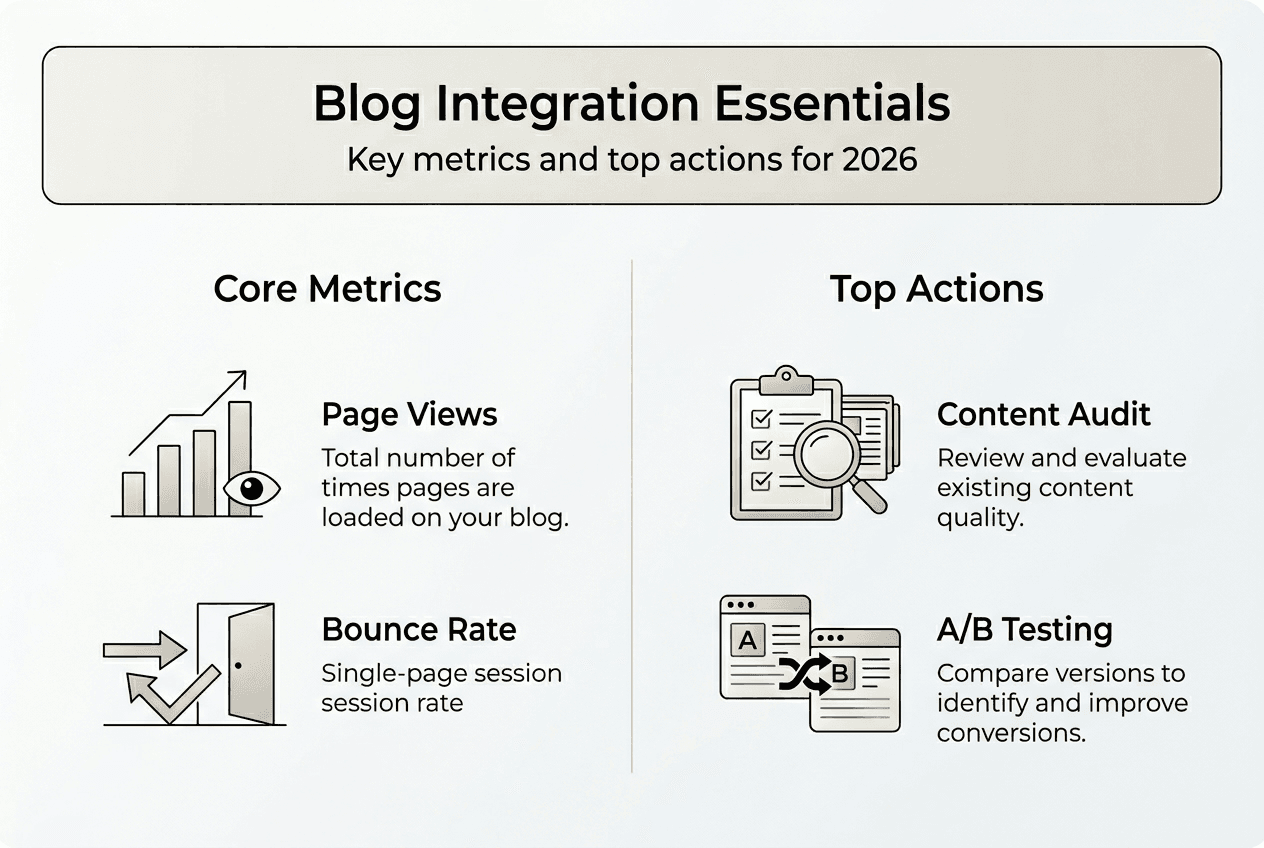
Google Analytics 4 provides free tracking for these essential metrics when properly configured with goals and event tracking. Set up custom reports showing which blog posts drive the most qualified traffic, defined by visitors who view multiple pages or spend above-average time on site. Identify your top-performing posts by conversion value, not just traffic, to understand which topics and formats generate actual business results. Compare organic search traffic trends month over month to gauge whether your SEO efforts compound over time or plateau.
Common integration mistakes undermine blog effectiveness even when content quality remains high. Neglecting technical SEO elements like meta descriptions, header tag hierarchy, and image alt text limits search visibility regardless of how valuable your insights are. Inconsistent publishing schedules confuse both readers and search algorithms, which favor sites demonstrating regular activity and fresh content. Ignoring mobile optimization alienates the majority of web traffic, as over 60% of searches now occur on smartphones and tablets. Failing to interlink blog posts with relevant product pages or service descriptions misses opportunities to guide readers toward conversion actions.
Avoid these specific pitfalls:
- Skipping keyword research: Writing without understanding search demand wastes effort on topics nobody searches for.
- Ignoring page speed: Slow-loading blogs frustrate visitors and harm search rankings, especially on mobile devices.
- Neglecting internal linking: Isolated posts fail to distribute authority and keep visitors engaged across your site.
- Overlooking content updates: Outdated information damages credibility and causes search rankings to decay over time.
- Dismissing analytics: Publishing without measuring results prevents you from learning what works and doubling down on successful approaches.
Content audits systematically evaluate your existing blog archive to identify improvement opportunities. Review posts published six months ago or older, checking for outdated statistics, broken links, or information that no longer reflects current best practices. Update these posts with fresh data, expanded sections addressing new reader questions, and improved formatting for better readability. Search engines reward updated content with renewed rankings, often boosting older posts back into top positions. Use a content audit checklist to ensure you evaluate each post consistently across key quality dimensions.
Pro Tip: Schedule quarterly content audits rather than attempting to review your entire blog at once. Focus each session on your top 20 traffic-generating posts, as improving these high-performers delivers disproportionate returns compared to optimizing low-traffic articles.
A/B testing different elements reveals what drives better performance. Test headline variations to improve click-through rates from search results and social shares. Experiment with call-to-action placement and wording to increase email signups or product page visits. Try different content lengths to find the sweet spot between comprehensive coverage and reader attention spans. Use tools like Google Optimize or your CMS’s built-in testing features to run controlled experiments that isolate the impact of individual changes.
How seo analytic can help you integrate your business blog
Transforming blog strategy into execution requires technical expertise and ongoing optimization that many small and medium businesses lack in-house. At seo analytic, we specialize in building websites optimized for search visibility and customer conversion from day one. Our team handles the technical complexity of blog integration, from platform selection and setup to implementing automated recommendation systems that drive sales. We create tailored content strategies aligned with your business goals, identifying high-value topics that attract your ideal customers.

Our website building guide walks you through creating a digital presence that grows with your business. We offer comprehensive search engine optimization services that ensure your blog content reaches the right audience at the right time. Whether you’re launching your first blog or optimizing an existing one, our digital marketing basics resources provide the foundation you need to succeed in 2026’s competitive landscape. Let us handle the technical details so you can focus on running your business.
Frequently asked questions
What platform is best for integrating a blog into my business website?
WordPress remains the most recommended platform for businesses prioritizing SEO flexibility and long-term scalability. Its extensive plugin ecosystem and community support make it adaptable to virtually any business need. However, website builders like Wix or Squarespace offer simpler setup and maintenance for businesses with limited technical resources. Choose based on your current technical capacity and whether you need advanced customization or prefer managed simplicity.
How often should I publish blog posts to see results?
A consistent schedule matters more than frequency, with weekly or biweekly publishing working well for most small and medium businesses. Starting with one high-quality post per month beats sporadic bursts of three posts followed by months of silence. Use a content calendar to plan topics in advance and maintain your chosen rhythm. Search engines reward consistent activity, and readers learn to expect new content on a predictable schedule.
Can automated product recommendations really boost blog sales?
Yes, automated recommendations increased sales 9x at MasterZoo while dramatically reducing manual work. Personalized suggestions match products to reader interests more effectively than static links because they adapt based on behavior and context. The system continuously optimizes which products to display based on actual conversion data. This approach transforms blogs from pure information sources into revenue-generating assets with minimal ongoing effort.
What are common mistakes to avoid when integrating a blog?
Neglecting SEO fundamentals like keyword research, meta descriptions, and mobile optimization severely limits your blog’s reach and effectiveness. Inconsistent publishing schedules confuse readers and search engines, undermining trust and rankings. Ignoring analytics prevents you from learning what content resonates and which topics drive conversions. Choosing platforms without considering long-term scalability often forces costly migrations later. Focus on building sustainable systems from the start rather than rushing to publish without strategy.
Recommended
- Boost Website Traffic with Effective Blog SEO Strategies – seo analytic
- Understanding Blogging for Business: Key Insights Explained – seo analytic
- 7 Key Business Blog Benefits Every Owner Should Know – seo analytic
- Repurposing Blog Content for Maximum Engagement Results – seo analytic
- Blog – LSA SEO Agency