

TL;DR:
- Proper planning and 301 redirects enable SEO preservation during rebranding.
- A comprehensive pre-migration audit and URL mapping prevent ranking and traffic loss.
- Ongoing monitoring and proactive backlink updates ensure long-term SEO success.
Rebranding is one of the boldest moves a business can make. It signals growth, evolution, and ambition. But for companies that have spent years building search visibility, the fear is real: what if the rebrand wipes out your rankings overnight? The good news is that comprehensive planning and 301 redirects enable businesses to rebrand without losing their SEO footing. This guide walks you through every phase, from pre-migration audits to post-launch optimization, so you can move forward with confidence and keep the organic traffic you have worked hard to earn.
Table of Contents
- Understand the risks and requirements of rebranding
- Pre-migration checklist: audit, mapping, and planning
- Executing rebranding: technical steps for preserving SEO
- Post-launch tracking: verify, troubleshoot, and optimize
- The uncomfortable truth about rebranding: preparation always wins
- Boost your brand’s visibility with expert SEO support
- Frequently asked questions
Key Takeaways
| Point | Details |
|---|---|
| Plan before you act | Comprehensive SEO audits and URL mapping are the foundation of a successful rebrand. |
| Preserve and redirect | Maintaining on-page SEO, implementing one-to-one redirects, and updating links protect rankings. |
| Monitor and optimize | Post-launch tracking and adaptation are crucial for preventing traffic losses and capturing new opportunity. |
| Brand equity rebuild | Rebranding requires a proactive approach to rebuilding online reputation, mentions, and search visibility. |
| Learn from benchmarks | Strategic rebrands can greatly boost SEO—data shows up to 500% traffic gains are possible. |
Understand the risks and requirements of rebranding
Rebranding touches nearly every element of your website: your domain name, URL structure, page titles, internal links, and brand signals. Each of those changes carries SEO risk if handled carelessly. The biggest threats are broken redirects that send users and search engines to dead pages, lost backlink equity when old URLs disappear without forwarding rules, and duplicate content that confuses Google when old and new pages coexist without proper canonicalization.
Here is a quick look at what separates a planned rebrand from a chaotic one:
| Risk factor | Without SEO planning | With SEO planning |
|---|---|---|
| Redirect coverage | Broken links, 404 errors | Full 301 redirect map |
| Backlink equity | Lost permanently | Transferred to new URLs |
| Content continuity | Duplicate or orphaned pages | Preserved and canonicalized |
| Ranking recovery time | 6 to 12+ months | 1 to 3 months |
| Organic traffic impact | Severe drop | Minimal short-term dip |
Before you touch a single page, run through this prerequisite checklist:
- Complete a full SEO audit of your current site
- Document all top-performing URLs and their ranking keywords
- Inventory every backlink pointing to your domain
- Confirm your new domain and URL structure are finalized
- Assign a dedicated SEO lead to the project
- Set baseline metrics for traffic, rankings, and conversions
You should prioritize SEO from the first step to avoid high-risk changes that permanently destroy link equity. This is not a task to hand off to developers after the design is done. SEO must be in the room from day one.
Pro Tip: If your business operates multiple physical locations, the complexity multiplies fast. Multi-location site migrations require location-specific audits, NAP (name, address, phone) consistency checks, and separate redirect maps for each regional page set. Skipping this step is one of the most common causes of local ranking collapse after a rebrand.
A solid website redesign checklist ensures nothing falls through the cracks. Pair it with strong on-page SEO techniques to maintain the content signals that got you ranked in the first place.
Pre-migration checklist: audit, mapping, and planning
Before you launch anything new, you need a clear picture of exactly what you have. Think of this phase as taking inventory before moving to a new office. You would not just throw everything in boxes and hope it arrives intact.

Start with a full SEO audit. Pull your top 50 pages by organic traffic from Google Search Console. Export your complete backlink profile from a tool like Ahrefs or SEMrush. Document current keyword rankings for every page you plan to migrate. This baseline data is your safety net. SEO audits and baseline metrics are critical because they give you a before-and-after comparison that reveals whether the migration succeeded or caused damage.
Here is a sample benchmarking table to build before migration:
| Metric | Current value | Target post-migration |
|---|---|---|
| Monthly organic sessions | X | Maintain or grow |
| Top 10 keyword rankings | X | Preserve 90%+ |
| Domain authority | X | Maintain within 2 points |
| Total indexed pages | X | Match within 5% |
| Referring domains | X | Preserve 95%+ |
Next, create a URL mapping document. This is a spreadsheet that lists every old URL in column A and its exact new destination in column B. No exceptions. Every page that has ever ranked, earned a backlink, or received traffic needs a destination. Website migrations fail most often when teams skip this step and assume redirects can be handled later.
Warning: Skipping the URL mapping phase is the single most destructive mistake in any rebrand. Without a complete map, you will have broken redirect chains, orphaned pages, and lost link equity that can take years to recover.
Follow these steps to build your pre-migration foundation:
- Crawl your entire site with Screaming Frog or a similar tool
- Export all URLs, status codes, and metadata
- Identify your top 20% of pages by traffic and backlinks
- Map each URL to its new destination in a shared spreadsheet
- Flag any pages being consolidated or retired
- Confirm the new URL structure with your development team
Use your website migration checklist to stay organized, and review your blog SEO strategies to ensure your content-driven pages retain their ranking power after the move.
Pro Tip: Prioritize pages with the most referring domains, not just the highest traffic. A page with 200 backlinks but modest traffic is far more valuable to preserve than a high-traffic page with no external links.
Executing rebranding: technical steps for preserving SEO
With your preparation checklist complete, you can begin the hands-on technical work. This is where most teams either protect their SEO or accidentally destroy it. Precision matters at every step.
Follow this execution sequence:
- Set up your new domain and site structure in a staging environment
- Implement all 301 redirects from your URL mapping document
- Update every internal link on the new site to point to new URLs
- Preserve all on-page SEO elements: title tags, meta descriptions, H1s, and schema markup
- Update your XML sitemap to reflect the new URL structure
- Submit the new sitemap in Google Search Console
- Set up Google Search Console for the new domain as a separate property
- Notify Google of the domain change using the Change of Address tool if applicable
Implementing 301 redirects for every changed URL and preserving on-page SEO elements are the two non-negotiable technical requirements. Miss either one and you will feel it in your rankings within weeks.
Avoid redirect chains. A chain occurs when URL A redirects to URL B, which then redirects to URL C. Each hop dilutes the link equity being passed. Map every old URL directly to its final destination. Also watch for redirect loops, where two pages redirect to each other indefinitely, which causes crawl errors and a terrible user experience.
Here are the top tools to monitor SEO health during migration:
- Google Search Console: Track index coverage, crawl errors, and performance
- Screaming Frog: Verify redirect chains and internal link integrity
- Ahrefs or SEMrush: Monitor backlink status and keyword rankings
- GTmetrix or PageSpeed Insights: Check Core Web Vitals on new pages
- Cloudflare or server logs: Identify unexpected 404 errors at scale
Pro Tip: Before going live, test your staging site for crawlability and Core Web Vitals. A page that loads slowly or blocks crawlers will lose rankings even if the redirects are perfect. Use the site migration SEO checklist as your final pre-launch quality check.
Strong on-page SEO techniques applied consistently across your new pages will reinforce the signals Google uses to rank your content. And if your rebrand involves a new brand story, your brand storytelling online approach should align with the keywords and messaging that already drive traffic. Use your redesign checklist to confirm every element is accounted for before launch day.
Post-launch tracking: verify, troubleshoot, and optimize
Launch day is not the finish line. It is the starting gun for a 90-day monitoring sprint. Your job now is to watch the data closely, fix problems fast, and build on new opportunities your rebrand creates.
Start monitoring immediately with these actions:
- Check Google Search Console daily for crawl errors and index coverage drops
- Monitor organic traffic in Google Analytics or GA4 against your baseline
- Track keyword rankings for your top 50 pages weekly
- Verify that 301 redirects are functioning correctly using a redirect checker
- Watch for any manual actions or penalties in Search Console
Monitoring over 30 to 90 days post-launch is essential because traffic may fluctuate before stabilizing. Short-term dips are normal and expected. What matters is the trend line over the full quarter.
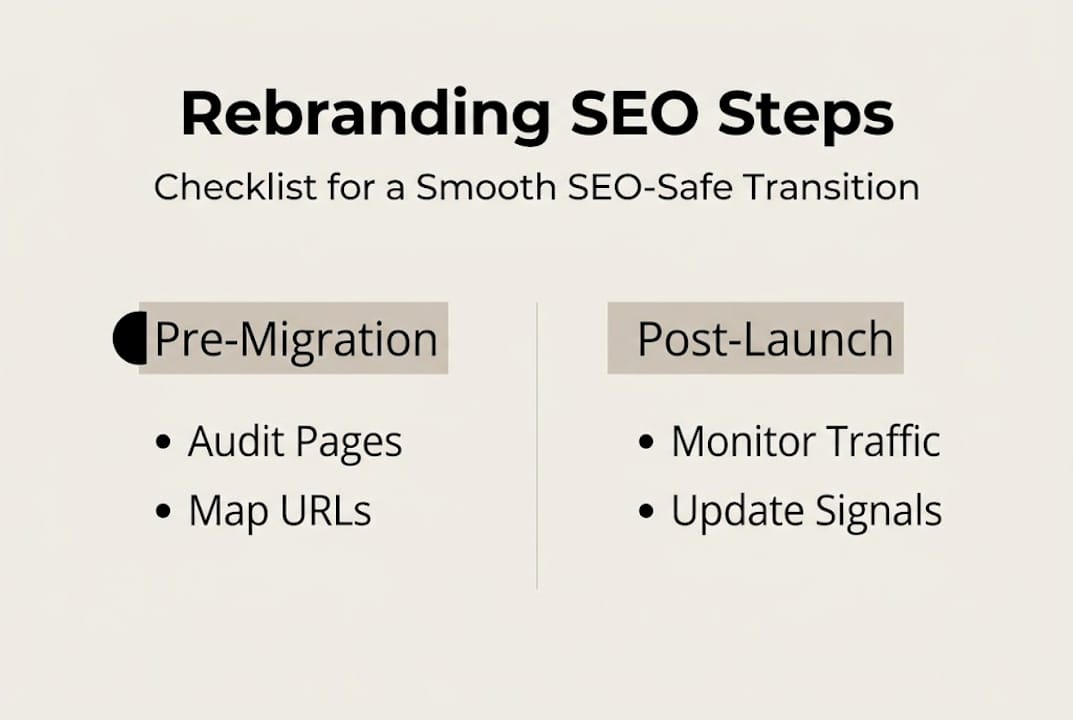
The results for brands that execute well are remarkable. Wise.com’s domain rebrand from Transferwise delivered a 500% organic traffic increase, growing from 32 million to 205 million monthly visits. Cascade Designs saw a 4461% visit lift after consolidating domains. These are not flukes. They are the result of disciplined execution.
Here is how short-term and long-term SEO outcomes typically compare after a well-managed rebrand:
| Timeframe | Typical SEO outcome |
|---|---|
| Week 1 to 2 | Minor ranking fluctuations, crawl activity spikes |
| Month 1 | Traffic stabilizes, redirect health confirmed |
| Month 2 to 3 | Rankings recover, new branded queries emerge |
| Month 4 to 6 | Traffic meets or exceeds pre-rebrand baseline |
| Month 6+ | New brand equity drives incremental organic growth |
To optimize for your new brand identity, update your Google Business Profile, push new brand signals to third-party directories, and add structured data (schema markup) that reflects your new name and offerings. You should also shift your Knowledge Graph entry by consistently using your new brand name across all digital properties.
Pro Tip: Use PR outreach to earn new backlinks under your rebranded name. Fresh third-party coverage reinforces your new brand identity with Google and builds the authority your new domain needs. Combine this with proactive brand reputation management to control how your new brand appears across the web.
The uncomfortable truth about rebranding: preparation always wins
After working through dozens of rebrands with businesses across the US, one pattern stands out with uncomfortable clarity: the brands that suffer the most are not the ones with bad designs or weak content. They are the ones that treated SEO as an afterthought.
We have seen companies spend six figures on a new visual identity and then hand the technical migration to a developer who had never heard of a 301 redirect. The result is predictable. Rankings vanish. Traffic collapses. Revenue drops. And the blame falls on the rebrand itself, when the real failure was skipping the audit.
Recovery fluctuations are inevitable, but brands that prepare, monitor, and adapt consistently outperform those that rush the change. Short-term dips should not trigger panic. They should trigger methodical troubleshooting using the baseline data you collected before launch.
The other uncomfortable truth is that brand equity does not transfer automatically. Your new domain starts with zero trust in Google’s eyes unless you actively migrate that trust through redirects, backlink outreach, and consistent brand signals. Use your website redesign checklist as a living document throughout the entire process, not just a pre-launch formality. Preparation is not a phase. It is the strategy.
Boost your brand’s visibility with expert SEO support
Rebranding is a high-stakes project, and the margin for error is thin. If you are planning a rebrand and want to protect the search visibility your business depends on, working with experienced SEO professionals makes a measurable difference.
Our team at seo-analytic.com specializes in guiding established US businesses through rebrands that grow traffic rather than destroy it. From technical audits to post-launch optimization, our SEO optimization services are built for exactly this kind of high-stakes transition. If you are newer to the space, our digital marketing basics guide gives you the foundational knowledge to make smarter decisions at every stage of your rebrand.
Frequently asked questions
How long does it take to recover SEO rankings after a rebrand?
Most well-planned rebrands see full recovery in 1 to 2 months, though short-term dips are normal and expected before rankings stabilize.
What is the most important technical step for retaining SEO?
A one-to-one mapping of all old URLs to new ones with 301 redirects preserves link equity and is the single most critical technical requirement.
Do I need to update my backlinks or external references after rebranding?
Yes. Proactively update brand signals and third-party mentions to reinforce your new brand identity and prevent Google from associating your domain with outdated information.
What should multi-location businesses watch for in SEO rebranding?
Multi-location sites require location-specific audits and NAP consistency across every regional page to avoid local ranking collapse during the migration.
What benchmarks prove rebranding can improve SEO performance?
Brands like Wise.com and Cascade Designs reported traffic increases of 500% and 4461% respectively after executing strategic, well-planned rebrand migrations.
Recommended
- Boost Rankings with Effective On-Page SEO Techniques – seo analytic
- Essential Website Redesign Checklist for Business Success – seo analytic
- Startup Brand Strategy: Complete Guide for Success – seo analytic
- Boost Website Traffic with Effective Blog SEO Strategies – seo analytic
- Google Maps ranking: what it is and how to improve it