
TL;DR:
- Most small business owners know they need a website but struggle with platform selection, content creation, and purpose clarity. A clear site purpose and goal-oriented structure improve conversion, while choosing the right platform depends on usability and maintenance ability. Managing content preparation and setting strict timelines prevent delays, and verifying with Google Search Console ensures proper indexing and error detection.
Most small business owners know they need a website but get stuck between picking a platform, writing content, and wondering whether they’re missing something important. Learning how to build a website sounds straightforward until you’re three tabs deep into hosting plans and still haven’t written a single word of copy. This guide cuts through that noise. You’ll find a practical, step-by-step path through planning, building, launching, and verifying a site that actually works for your business — not just one that looks decent on a laptop.
Table of Contents
- Understanding your website’s purpose and planning your structure
- Choosing a platform and building your website step-by-step
- Managing your website build timeline and avoiding common delays
- Verifying your website and ensuring accessibility compliance
- Why focusing on website purpose before design drives real business results
- How SEO Analytic helps small businesses build effective websites
- Frequently asked questions
Key Takeaways
| Point | Details |
|---|---|
| Define website purpose | Start building your website by clearly defining what you want visitors to do to support your business goals. |
| Choose the right platform | Select a website platform that balances ease of use and flexibility for your business needs. |
| Expect realistic timelines | Different website types require varying build times; prepare accordingly to avoid delays. |
| Verify with Search Console | Site verification lets you manage how Google indexes your website and monitor issues effectively. |
| Ensure accessibility | Make your website ADA-compliant with proper alt text, keyboard navigation, and contrast to reach all users. |
Understanding your website’s purpose and planning your structure
Before you touch a single design element, you need to answer one question: What do you want visitors to do? Buy something? Book a call? Sign up for an email list? That answer shapes every decision that follows, from page structure to button placement.
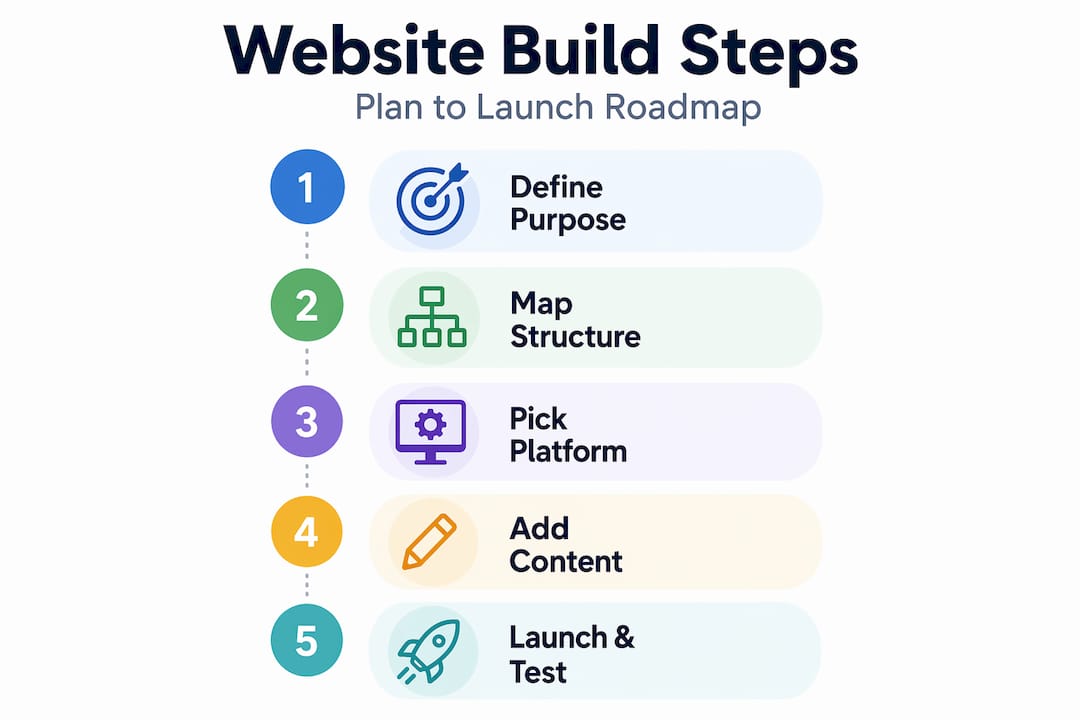
Stripe recommends starting with a clear site purpose and outlining pages that match it for small business websites. That’s not advice most people take seriously, but it’s the single biggest reason some websites convert visitors into customers and others don’t. A site without a clear purpose is just a digital brochure nobody reads.
Here’s what a solid page structure looks like for most small businesses and startups:
- Home: Communicate your core value proposition in under five seconds. Visitors decide whether to stay or leave almost immediately.
- About: Build trust by showing who’s behind the business. People buy from people they feel they know.
- Services or products: Be specific. Vague descriptions lose customers. Pricing transparency, where possible, reduces friction.
- Contact: Make it easy to reach you. A buried contact page is a lost lead.
- Testimonials or case studies: Social proof is one of the most powerful conversion tools you have.
Once those pages are mapped, align every content and design decision back to your business goals. A fitness studio trying to fill class spots should have a “Book a class” button visible on every single page, not buried in the contact form. That sounds obvious, but you’d be surprised how many sites bury their most important call to action.
Pro Tip: Before you open any website builder, write a one-sentence summary of your site: “This website exists so that [target visitor] can [do specific action].” Print it out and keep it visible during the entire build. Every decision gets measured against that sentence.
Our website building guide for business owners goes deeper into how to map business goals to page structure if you want to explore this planning phase further.
Choosing a platform and building your website step-by-step
Now that your site’s purpose and pages are outlined, it’s time to choose where and how you’ll build it. This is where a lot of small business owners overthink things. The honest answer is that the “best” platform is the one you’ll actually use and maintain.

MDN outlines a foundational build sequence that applies regardless of platform: plan your structure, write it with HTML, style it with CSS, add interactivity with JavaScript, then publish online. Even if you’re using a drag-and-drop builder, this sequence still happens under the hood. Understanding it helps you make better decisions when something breaks or when you want to customize.
For most small business owners, a CMS (content management system, meaning a platform that lets you manage content without coding) is the practical choice. WordPress covers an end-to-end beginner workflow from platform selection through hosting, domain, branding, content, and testing all the way to publishing.
Here’s a practical build sequence to follow:
- Choose your platform. WordPress gives you the most flexibility and is free to use, though hosting costs money. No-code builders are faster to launch but less customizable long-term.
- Register a domain name. Pick something short, memorable, and relevant to your business. Avoid hyphens and numbers if you can.
- Set up hosting. This is where your site “lives” online. Choose a plan that matches your expected traffic.
- Install your theme or template. Don’t spend more than an hour on this step. You can always change it later.
- Build out your core pages. Start with Home, About, Services, and Contact. Add more once the basics are solid.
- Add your content. Write clearly and focus on what your customer needs to know, not what you want to say.
- Test before publishing. Check every link, form, and button. View the site on mobile and desktop.
- Publish and verify. Connect your domain and submit your site to search engines.
Here’s a quick comparison of platform options relevant to US small businesses:
| Platform | Best for | Technical skill needed | Typical monthly cost |
|---|---|---|---|
| WordPress.org | Flexibility, SEO, scalability | Moderate | $10-$30 (hosting) |
| No-code builders | Fast launch, simple sites | Low | $15-$50 |
| Custom development | Unique functionality, apps | High or hire out | $100+ |
| E-commerce platforms | Online stores | Low to moderate | $30-$80 |
Pro Tip: Register your domain separately from your hosting provider. It gives you more control if you ever want to switch hosts, and it protects you from being locked into one vendor.
Managing your website build timeline and avoiding common delays
Once your website is being built, planning realistic timelines and managing project expectations becomes critical to a smooth launch. The number one reason small business websites launch late isn’t technical. It’s content. Owners underestimate how long it takes to write copy, gather photos, and get approvals.
Timelines vary significantly depending on site type and feature complexity. Here’s what you can realistically expect:
| Website type | Typical build time | Common delay driver |
|---|---|---|
| Landing page | 1-2 weeks | Content not ready |
| Brochure site | 3-4 weeks | Feedback cycles |
| E-commerce site | 6-10 weeks | Product data, payment setup |
| Custom build | 10+ weeks | Scope creep, change requests |
“Scope creep” means adding new features or pages mid-project that weren’t originally planned. It’s the silent budget and timeline killer. Every addition, even a small one, extends the timeline.
Here’s how to keep your build on track:
- Prepare all written content before the build starts. Every page needs copy. If you don’t have it written, the project will stall.
- Collect brand assets early. Logo files, photos, and color codes should be ready on day one.
- Set a feedback deadline per round. Give yourself and any stakeholders 48 hours to respond to review requests, not “whenever.”
- Freeze scope at least two weeks before launch. New ideas go on a “phase two” list. Trying to fit everything in before launch is how projects drag on for months.
- Schedule a hard launch date and work backward. A real deadline focuses everyone.
Pro Tip: Create a simple shared folder (Google Drive works fine) with your logo, fonts, photos, and brand colors before your first meeting with a developer or builder. Handing this over on day one often saves a full week.
Verifying your website and ensuring accessibility compliance
With your website live, the next priorities are getting it recognized by Google and making sure every visitor can use it, regardless of ability or device.
Verifying with Google Search Console
Google Search Console requires verification to confirm that you own your site, which gives you control over how it’s indexed and lets you monitor for errors and coverage issues. Verification doesn’t affect your ranking directly, but what you find in Search Console absolutely can. You’ll spot broken pages, mobile usability problems, and indexing errors you’d never catch otherwise.
Verification is fast. The most common method is adding a small HTML tag to your site’s header, which most website platforms let you do without touching code.
Making your site accessible
Accessibility isn’t just good practice. It’s a legal consideration. ADA.gov advises businesses to ensure website accessibility through WCAG (Web Content Accessibility Guidelines) standards, including keyboard navigation, clear labels, and text alternatives for images.
Here’s what to check:
- Alt text on every image. Screen readers use this to describe images to visually impaired users.
- Keyboard navigation. Every function on your site should work without a mouse.
- Color contrast. Text must be readable against its background. There are free tools online to check this ratio.
- Descriptive link text. “Click here” tells no one anything. “View our service packages” is clear and useful.
- Accessible forms. Every form field needs a visible, descriptive label.
“Poorly labeled, inaccessible websites expose businesses to legal complaints under the ADA, which has seen a sharp increase in web-related cases. Accessibility isn’t optional for US businesses with a public-facing site.”
Automated tools like screen reader simulators catch many issues, but manual testing matters too. Navigate your own site using only a keyboard for five minutes. You’ll find problems quickly.
Pro Tip: Run your site through a free accessibility checker before launch. Many issues take under 10 minutes to fix when caught early. Fixing them after launch is much harder.
For a complete breakdown of how accessibility fits into the design process, the guide on accessibility in web design is worth your time.
Why focusing on website purpose before design drives real business results
Here’s an opinion worth considering: most small business websites fail before a single pixel is placed, because the owner started by looking at templates instead of asking “what does this site need to accomplish?”
Design is seductive. There are thousands of gorgeous templates out there, and it’s easy to spend a day browsing them and calling it work. The problem is that choosing aesthetics first leads to building a site that fits the template rather than building a template that fits your business. Stripe’s guidance puts it directly: every decision should support measurable business goals, not just look good.
When you design with a goal in mind, something interesting happens. Navigation gets simpler because you remove anything that doesn’t serve the goal. Calls to action get stronger because you know exactly what action you want. Copy gets clearer because you’re writing for one outcome, not for everyone. The result is a site that’s easier to use AND more likely to convert.
The sites we see underperform most often are the beautifully designed ones with no clear direction. Visitors land, feel impressed for a moment, then leave because they couldn’t figure out what to do next.
If you take one thing from this entire website building guide for business owners, let it be this: define the one action you most want a visitor to take, then build the entire site to make that action feel obvious and effortless.
How SEO Analytic helps small businesses build effective websites
Now that you have the full picture on planning, building, and optimizing your website, you don’t have to navigate the next steps alone. SEO Analytic’s resources are built specifically for US small business owners who want practical, no-fluff guidance at every stage of the process.

Whether you’re just getting started with the step-by-step website building guide or need clarity on the technical side with our website building basics for US business owners, our content covers the decisions that actually matter: platforms, design, SEO, and analytics. When you’re ready to get your site online, start with our website hosting guide to choose the right setup from day one. Every resource is designed to help you launch faster and attract the customers you’re building for.
Frequently asked questions
What is the first step to building a website for my small business?
Start by defining your website’s purpose and outlining the pages needed to achieve your business goals. Stripe recommends matching your page structure directly to your site’s purpose before making any design or content decisions.
How long does it typically take to build a small business website?
Build times vary significantly based on complexity. Timelines range from 1-2 weeks for a landing page to 6-10 weeks or more for an e-commerce site, with content readiness being the most common cause of delays.
Do I need to verify my site with Google Search Console?
Yes, and it takes about five minutes. Verification confirms ownership and gives you access to indexing data and error reports, though it doesn’t directly change your ranking.
How can I make sure my website is accessible to all users?
Follow ADA guidelines and WCAG standards, including alt text on images, keyboard navigation, and sufficient color contrast. ADA.gov advises businesses to implement these standards to meet legal requirements and serve all visitors effectively.
Recommended
- Website Building Basics for US Business Owners: 2025 Guide – seo analytic
- Website Building Guide for Business Owners: Step-by-Step Success – seo analytic
- What Is Web Hosting? A Simple Guide for US Business Owners – seo analytic
- What is a CMS? A complete guide for small business owners – seo analytic